
A good DXF file can make the laser cutting process faster, more accurate, and easier to quote.
When you send a DXF file to a laser cutting service, the supplier uses the drawing to understand the part profile, holes, slots, cutouts, and dimensions required for production.
However, a DXF file that contains incorrect geometry, duplicate lines, open profiles, or the wrong scale can cause problems before cutting even begins.
If you are preparing a DXF for laser cutting, these are the important things to check before sending it to your supplier.
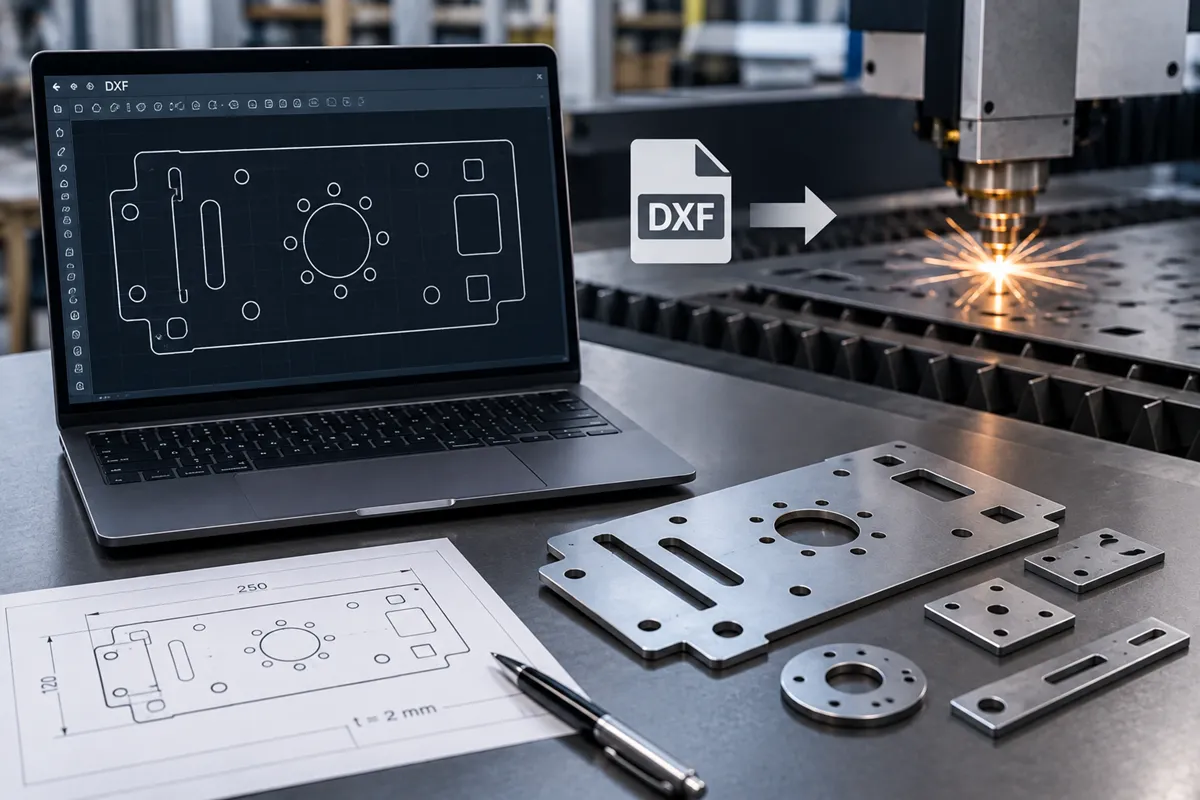
What Is a DXF File for Laser Cutting?
DXF stands for Drawing Exchange Format.
It is a commonly used CAD file format for transferring 2D drawing geometry between different CAD and manufacturing software.
For laser cutting, a DXF typically contains the 2D profile that needs to be cut.
The geometry may include:
- Outer profiles
- Holes
- Slots
- Internal cutouts
- Notches
- Other features that need to be cut
The laser cutting software uses this geometry to generate the cutting path.
What Should a Laser Cutting DXF Contain?
A production-ready DXF should contain clean, closed 2D geometry representing the features that need to be cut.
Before sending the file, check:
1. Correct Scale
The drawing should be created at the correct size.
For example, if the required component is 250 mm × 100 mm, the DXF geometry should represent those actual dimensions.
A scale error can result in an incorrect part being produced.
2. Closed Profiles
Outer profiles and internal cutouts should be properly closed.
An open profile can cause the cutting software to interpret the geometry incorrectly.
Check for small gaps between line endpoints, especially around:
- Corners
- Arcs
- Slots
- Complex profiles
3. No Duplicate Lines
Duplicate or overlapping lines can cause the laser to travel over the same section more than once.
This can increase cutting time and may affect the edge or part quality.
Remove duplicate geometry before exporting the final DXF.
4. Correct Units
Clearly establish whether the drawing is in:
- Millimetres
- Inches
For most sheet-metal fabrication work, millimetres are commonly used.
Never assume that the receiving software will automatically interpret the units correctly.
5. Correct Hole and Slot Dimensions
Check all critical holes, slots, and cutouts before sending the file.
For example:
Hole diameter: Ø10 mm
Slot: 8 mm × 30 mm
If a feature is critical for assembly, its required tolerance should also be specified on the engineering drawing.
Should Dimensions Be Included in the DXF?
The DXF primarily needs to contain the cutting geometry.
Dimensions, notes, tolerances, material specifications, and other manufacturing information are usually better provided in a separate engineering drawing or PDF.
For example, your quotation package can contain:
DXF → Cutting geometry
PDF drawing → Dimensions, tolerances and specifications
This gives the laser cutting supplier both the geometry and the engineering requirements.
What Layers Should a Laser Cutting DXF Have?
A simple DXF is usually easier for a supplier to process.
If the file contains only cutting geometry, keep the file clean and avoid unnecessary elements.
If your manufacturing process requires different operations, such as:
- Cutting
- Marking
- Engraving
these should be clearly separated according to the supplier’s required layer or color convention.
Always ask the laser cutting provider about their preferred DXF format and layer standards.
Common DXF Mistakes That Cause Problems
Several common CAD mistakes can delay quotation or production.
Open Geometry
A profile contains a small gap and is not recognized as a closed contour.
Duplicate Lines
Two identical lines are placed on top of each other.
Construction Geometry
Centerlines, reference lines, dimensions, or other unwanted CAD elements remain in the cutting layer.
Incorrect Scale
The part is exported at a different scale from the intended dimensions.
Incorrect Units
The CAD software and laser cutting software interpret the drawing using different units.
Unnecessary Splines
Complex spline geometry can sometimes create processing problems or excessive cutting segments.
Missing Features
A hole, slot, notch, or cutout may be missing from the exported file.
Checking these issues before sending the DXF can save time and prevent production errors.
DXF vs STEP for Laser Cutting
For a standard 2D laser-cut part, DXF is generally the most straightforward format because it directly represents the cutting profile.
STEP files are useful when the component is part of a 3D assembly or when the supplier needs to understand the complete 3D geometry.
If your component requires both laser cutting and bending, providing a 3D CAD model along with a flat pattern or DXF and engineering drawing can help the supplier understand the complete part.
What Information Should You Send With Your DXF?
A DXF alone may not provide everything required for an accurate quotation.
For a laser cutting enquiry, provide:
- DXF file
- Engineering drawing, if available
- Material grade
- Material thickness
- Quantity
- Required tolerances
- Surface requirements
- Additional operations
- Delivery requirements
Required Information for a Laser Cutting Quote
| Information | Example | Why It Matters |
|---|---|---|
| DXF file | Bracket-01.dxf |
Defines the cutting geometry |
| Engineering drawing | PDF drawing | Provides dimensions and tolerances |
| Material | SS 304 | Determines cutting parameters and cost |
| Thickness | 2 mm | Determines cutting capability and pricing |
| Quantity | 250 pcs | Affects nesting and production cost |
| Critical tolerances | ±0.10 mm | Defines required dimensional accuracy |
| Surface requirement | Standard / cosmetic | Determines processing and handling |
| Secondary operations | Bending, tapping, deburring | Identifies additional manufacturing work |
| Delivery requirement | Required delivery date | Helps determine production scheduling |
For example:
Material: Stainless Steel 304
Thickness: 2 mm
Quantity: 100 pieces
File: DXF + PDF drawing
This gives the laser cutting supplier enough information to assess the job properly.
How to Prepare a DXF for Laser Cutting
Before exporting your file, use this checklist:
Check the dimensions.
Make sure the geometry is at the actual required size.
Clean the geometry.
Remove duplicate, overlapping, and unnecessary lines.
Close all profiles.
Make sure outer contours and internal cutouts are closed.
Remove construction geometry.
Keep only the geometry required for manufacturing.
Check holes and slots.
Confirm that all required features are present and correctly sized.
Confirm units.
Use the units agreed with your supplier.
Check the material and thickness.
These should be included with the quotation request.
Export the correct DXF version.
If your supplier has a preferred DXF version or CAD standard, follow it.
Can You Send a DXF Directly for a Laser Cutting Quote?
Yes.
A clean DXF can often be used by a laser cutting supplier to assess the part profile and prepare a quotation.
However, the supplier will also need the material, thickness, quantity, and any special tolerances or requirements to calculate the job accurately.
If the component also requires bending, machining, tapping, or other fabrication operations, include those requirements with the enquiry.
Need Laser Cutting From Your DXF File?
A properly prepared DXF helps reduce quotation delays, programming issues, and production errors.
If you already have your DXF file ready, send it to us along with the material, thickness, and quantity.
Our team can review the geometry, assess the laser cutting requirements, and provide a quotation for your parts.
Have a DXF ready? Send us your file for a laser cutting quotation.